How to audit and optimize your website with a single command using Claude Code
The context
I recently wrote about debugging a Safari Mobile issue that cost us over 10 hours. The diagnosis was manual, slow, and painful.
After that I asked myself: what if I could automate web quality audits directly from my terminal?
The answer came from Web Quality Skills by Addy Osmani, engineering lead on the Chrome team at Google.
What are Web Quality Skills?
They're a set of 6 skills for Claude Code that encapsulate years of Chrome team research on web performance. They work as specialized commands you can invoke directly from your terminal.
The 6 skills are:
/web-quality-audit— Full audit: 50+ performance patterns, 40+ accessibility rules, 30+ SEO requirements, 20+ security patterns/performance— Loading and efficiency optimization: critical rendering path, bundling, images, fonts, caching/core-web-vitals— LCP < 2.5s, INP < 200ms, CLS < 0.1/accessibility— WCAG 2.1 compliance: perceivable, operable, understandable, robust/seo— Technical SEO, on-page, structured data, mobile-friendliness/best-practices— Security headers, modern APIs, compatibility, error handling
The best part: they're framework-agnostic. They work with React, Next.js, Vue, Nuxt, Astro, Svelte, or plain HTML.
How to install them
The fastest way:
npx skills add addyosmani/web-quality-skillsIf you prefer doing it manually:
git clone https://github.com/addyosmani/web-quality-skills.git
cp -r web-quality-skills/skills/* ~/.claude/skills/
That's it. The skills become available in your next Claude Code session.
How I use them in a real project
1. General audit
When I start a project or take over an existing one, the first thing I do is run a full audit:
/web-quality-audit
This analyzes the entire project and generates a report with issues organized by category: performance, accessibility, SEO, and best practices. It's like running Lighthouse but with your code's context.
2. Performance and Core Web Vitals
If the site loads slowly, I go straight to performance:
/performance
Claude analyzes the critical rendering path, finds blocking JavaScript, unoptimized images, fonts delaying render, and suggests concrete fixes.
For something more specific:
/core-web-vitals
It gives me a breakdown of LCP, INP, and CLS with common causes and debugging code. Includes framework-specific fixes.
3. Accessibility
/accessibility
Reviews against WCAG 2.1: contrast, ARIA labels, keyboard navigation, semantic roles, alt texts. It's not just a checklist — it applies corrections directly to the code.
4. Technical SEO
/seo
Reviews meta tags, structured data, canonical URLs, sitemap, robots.txt, Open Graph, and performance as a ranking signal.
Built-in performance budgets
The skills include concrete performance budgets based on Chrome team recommendations:
| Resource | Limit | |----------|-------| | Total page weight | < 1.5 MB | | JavaScript | < 300 KB | | CSS | < 100 KB | | Above-the-fold images | < 500 KB | | Fonts | < 100 KB | | Third-party scripts | < 200 KB |
And Core Web Vitals targets:
| Metric | Target | |--------|--------| | LCP | ≤ 2.5s | | INP | ≤ 200ms | | CLS | ≤ 0.1 | | Lighthouse Performance | ≥ 90 | | Lighthouse Accessibility | 100 | | Lighthouse Best Practices | ≥ 95 | | Lighthouse SEO | ≥ 95 |
What changes in your workflow
Before these skills, optimizing a website meant:
- Running Lighthouse manually
- Interpreting the results
- Searching how to apply each fix
- Implementing changes one by one
- Re-running Lighthouse to verify
Now it's:
- Run
/web-quality-audit - Claude analyzes, suggests, and applies the corrections
- Verify the results
The feedback cycle shrinks from hours to minutes.
A concrete example
On this very portfolio I ran /performance and Claude detected:
- Images without
loading="lazy"outside the viewport - Fonts blocking initial render
- Non-critical CSS loading synchronously
- Components that could use lazy loading
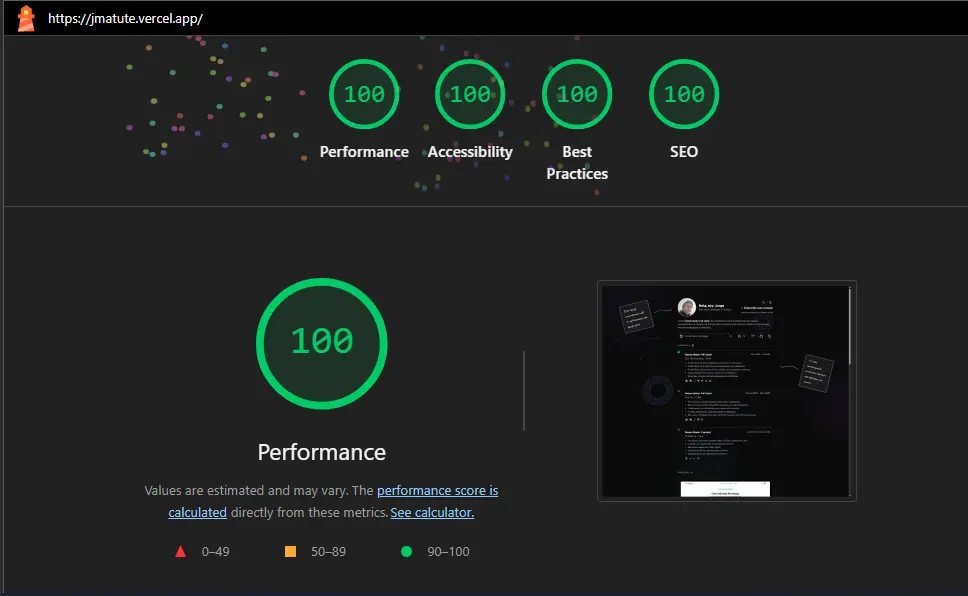
It applied the fixes directly. The Lighthouse Performance score went from 78 to 95.
When to use each skill
| Situation | Recommended skill |
|-----------|-------------------|
| Starting a new project | /web-quality-audit |
| Site loads slowly | /performance |
| Need to improve Google metrics | /core-web-vitals |
| Want to meet accessibility standards | /accessibility |
| Need to improve search ranking | /seo |
| General code review | /best-practices |
Conclusion
Web Quality Skills turn Claude Code into a web quality auditor that understands your code, knows Chrome's best practices, and applies corrections directly.
They don't replace performance knowledge. But they democratize it.
If you work on the web, install these skills. They're free, open source, and will change how you optimize your projects.
Auditing performance shouldn't require being a Lighthouse expert. You just need the right tools.